Can FrameFocus help with Product Hunt launch videos?
Yes. FrameFocus can help make launch videos clearer by zooming into the product moments viewers need to understand quickly.
Summary
SaaS demo video editor. Your SaaS demo needs to show value quickly. FrameFocus helps you make product walkthroughs easier to understand by focusing attention on the exact feature or action that matters. SaaS demos lose conversion impact when viewers cannot follow product actions fast enough. Typical use cases include Landing page demos, Product Hunt launch videos, Onboarding walkthroughs, Feature announcements. This guide explains how FrameFocus, a web-based screen recording zoom editor, helps creators and teams produce clearer demos and tutorials.
SaaS demos lose conversion impact when viewers cannot follow product actions fast enough. FrameFocus solves it in your browser with a click-to-focus method: you click the exact region viewers should follow, adjust timing and zoom strength, and export without re-recording or heavyweight timeline editing. It works well for product demos,.
SaaS demos lose conversion impact when viewers cannot follow product actions fast enough.
FrameFocus helps you add smooth zoom moments, highlight exactly where viewers should look, and improve tutorials without re-recording.
Landing page demos
Product Hunt launch videos
Onboarding walkthroughs
Feature announcements
Sales demo clips
Social demo snippets
Mark where the zoom starts and where it ends directly on your preview. Amber regions on the timeline show each zoom segment so you can adjust timing with confidence.
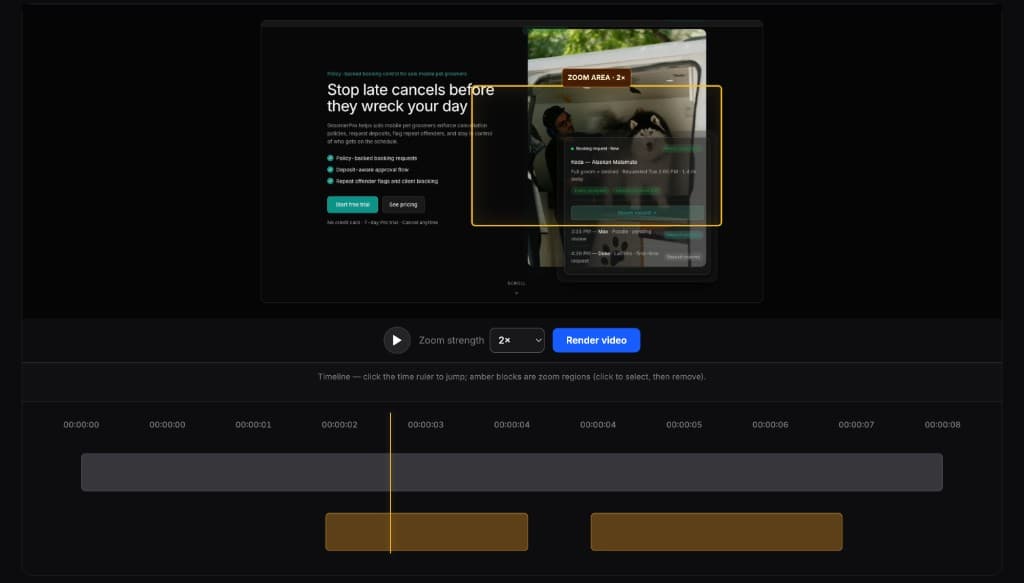
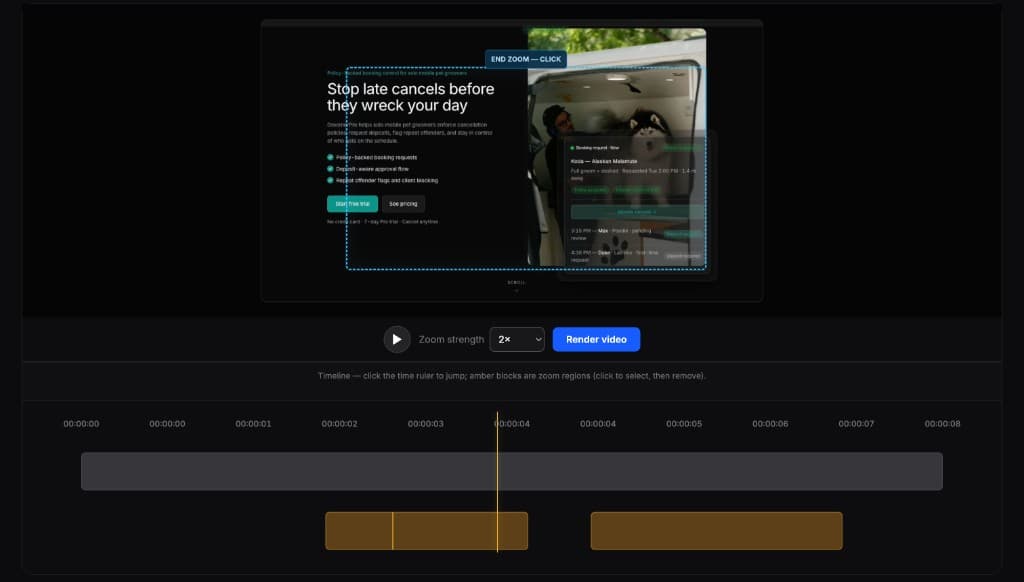
Full editors are powerful, but they are often overkill for this one task. FrameFocus is built for demos, tutorials, lessons, and walkthroughs that need simple zoom editing for screen recordings.
Yes. FrameFocus can help make launch videos clearer by zooming into the product moments viewers need to understand quickly.
Yes. You can highlight the exact UI change, workflow, or feature you are announcing.
Add smooth zoom moments, fix unclear screen recordings, and publish clearer demos, tutorials, lessons, and support walkthroughs.